 Procell Repair
Help center › Inventory
Inventory
Import a MobileSentrix purchase order
Ordered parts from MobileSentrix? Connect your account and pull the whole order into your inventory in one go — with brand, model, type and cost matched for you.
Connect your MobileSentrix account
Go to Integrations → MobileSentrix and enter your API keys to connect. Each shop uses its own MobileSentrix account for ordering.
Where do the keys come from? They're the REST API credentials from your own MobileSentrix account.Open Import MobileSentrix order
From Inventory, open Import MobileSentrix order.
Pick the purchase order
Your recent MobileSentrix orders appear. Choose the one you received.
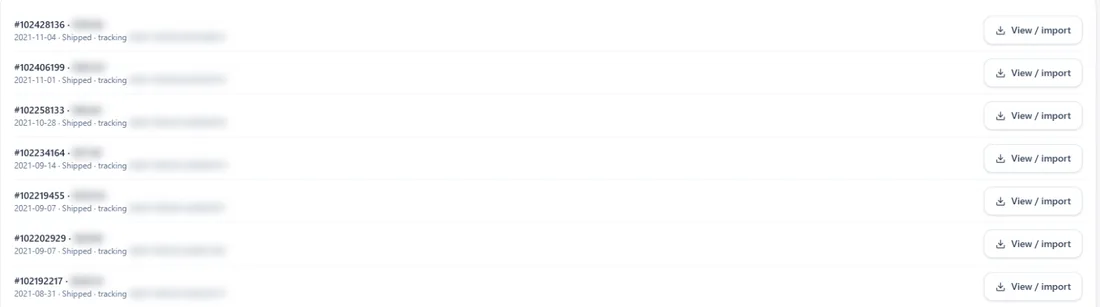
Your recent orders, ready to import. Review the items
Each line is matched to your catalog — brand, model, type and cost. Fix anything that needs a tweak before importing.
Import into inventory
Tap Import and every part lands in stock at your store — no typing, no duplicates.
No MobileSentrix account? You can still browse the catalog and add parts by SKU — connecting is only needed to order and import.
Try it in your own shop
Start free
Procell POS runs your repairs, sales, inventory and customer portal. Free plan, no card — up to 15 transactions a month.